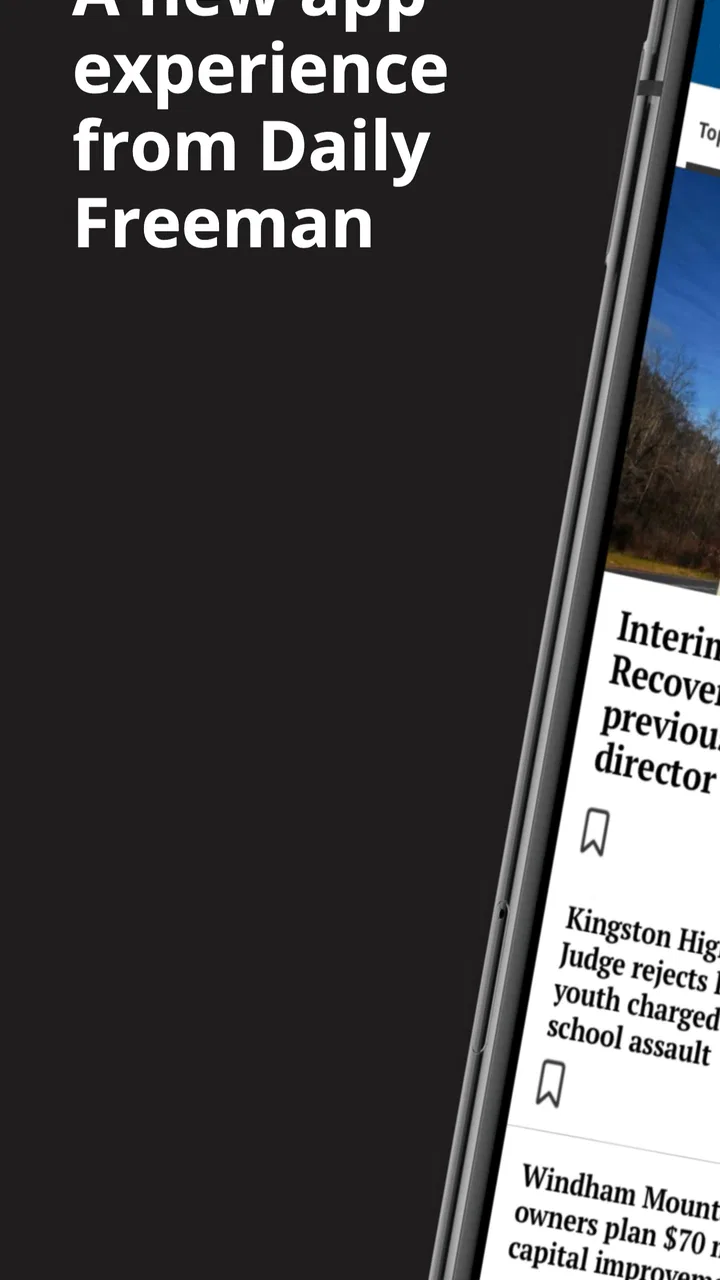
Daily Freeman for Android
- 2.1
- Rating
- 10.00K
- Installs
- Free
- Price

 Analysis by App-foxy
I approached Daily Freeman as a focused way to follow news from the Hudson Valley rather than as a replacement for every news source on my phone. It is a free News & Magazines app from MediaNews Group, Inc., built around the Daily Freeman publication and its long-running local coverage. That focus is its main reason to exist: if your daily questions are about the communities, events, and public issues of the Hudson Valley, a dedicated local news app can feel more useful than a broad national feed.
My experience was more mixed than the simple store summary suggests. The app is easy enough to understand, but it does not have the polish or consistency I expect from the strongest modern news readers. Its current version is 10.0.60, and it runs on Android 8.0 or later, so compatibility should cover many older phones as well as newer devices. Still, the overall rating sits at 2.1 from around a hundred ratings, which is a useful warning to approach it with realistic expectations rather than assuming a smooth, premium reading experience.
How I used Daily Freeman for a normal news routine
My baseline workflow was simple: open the app when I wanted a local update, scan the available headlines, choose the stories that mattered to me, and return later when I had more time to read. That sounds ordinary, but it highlights the app’s strongest quality. Daily Freeman is not trying to overwhelm me with every major story from around the world. Its value comes from giving local reporting a more prominent place in my routine.
You May Also Like

 Pandora - Music & Podcasts
Pandora’s Music Is Easy to Start, but Harder to Recover
Pandora’s strength is its low-effort path from a seed to a station. Its weak spot is how much confidence it asks you to place in connection, setup, and quiet recovery.

 AccuWeather: Weather Radar
AccuWeather Review: A Quick, Clear Forecast for Everyday Decisions
For everyday plans, the best forecast is the one you can understand quickly. AccuWeather makes rain timing, radar, and local conditions easy to act on, with a few trade-offs.

 Hill Climb Racing
Why Hill Climb Racing Still Turns Crashes Into One More Run
A tiny car, a bumpy hill and one more upgrade: Hill Climb Racing keeps resurfacing because its simple chaos makes every near-miss feel personal.

 AliExpress - Shopping App
AliExpress Makes Global Shopping Feel Personal, but Shoppers Bear the Risk
AliExpress turns a global marketplace into a pocket-sized discovery engine. Its reach is useful, its shopping loop compelling, and its trade-offs easy to miss.

 Lords Mobile: Kingdom Wars
Lords Mobile Is a Kingdom-Building Routine, Not a Quick Match
A case-by-case verdict on the building, battles, device demands, and social commitments that make Lords Mobile rewarding for some players and exhausting for others.

 PDF Scanner app - TapScanner
TapScanner Makes Paperwork Easier to Capture, Check, and Share
TapScanner makes scanning with a phone feel less like a rescue operation and more like a dependable step in getting work done. Its capture tools are useful, though not flawless.
More From Our News Desk
View All News


For someone living in or closely connected to the Hudson Valley, that can make a real difference. A national news app may tell me about major political developments or breaking events, but it is less likely to help me keep track of nearby civic decisions, regional concerns, community activity, or stories affecting people I know. I found the app most worthwhile when I treated it as a local checkpoint: a short visit in the morning, another look around lunchtime, and a longer reading session when a headline deserved attention.
The first practical tip is to avoid judging the app by a single quick opening. Local news is often more useful as a habit than as a one-time browse. I would open it with a specific purpose, such as checking what had changed since the previous visit, instead of expecting an endless stream of fresh content. That approach also makes the narrower editorial focus feel intentional rather than limited.
The reading experience is best for users who prefer selecting stories themselves. I could scan headlines and decide what deserved time, which is more comfortable than being pushed through a highly personalized feed that keeps changing its priorities. On the other hand, people who want automatic recommendations, extensive topic controls, or a highly visual news dashboard may find the app basic compared with larger national news platforms.
A realistic everyday scenario would be a commuter who wants local context before starting the day. I might check the app over breakfast, save the most relevant headline mentally, and then read the full story later instead of spending twenty minutes scrolling through unrelated national coverage. A parent, small-business owner, student, or community volunteer could use the same pattern when nearby developments matter more than general headlines.
That said, I would not use Daily Freeman as my only source for a fast-moving national story. Its purpose is local journalism, while broader news applications are usually better at collecting many outlets and presenting a wider range of subjects. I would pair it with a general news reader if I wanted both regional awareness and a complete overview of national or international events.
What I would check before making it part of my day
The app is free to install, which makes trying it low-risk. However, in-app purchases range from $11.99 to $139.99 per item, so I would pay attention to any subscription or purchase screen before confirming anything. The free download should not be confused with unlimited access to every possible part of a publication-based service. I would read the wording carefully, especially if I reached a story that asked me to continue through a paid option.
That is one of the most important trade-offs here. A dedicated local news app may provide a more focused reading experience, but publication access can involve paid boundaries that do not appear in a completely free headline aggregator. If I only want occasional local headlines, I would test the free experience first. If I expect to read deeply every day, I would decide whether the available purchase is worthwhile based on my actual usage rather than paying immediately out of habit.
The age rating is Everyone 10+, so I would consider it suitable for a general audience with that guidance in mind. This is a news application, not a game or a social network, and its usefulness depends much more on the reader’s location and interests than on age alone. Someone outside the Hudson Valley may install it successfully but still find little reason to return.
Settings and habits that deserve attention
Experienced use begins with checking the app’s own controls instead of accepting the first setup as permanent. I would look for notification choices, reading preferences, account prompts, and any controls that affect how stories are presented. I would also decide whether I really want every alert. Local news notifications can be useful for urgent developments, but too many interruptions quickly turn a focused publication into another noisy source on the phone.
My preferred habit would be selective alerts if the app offers that level of control, with ordinary browsing for everything else. I would keep notifications enabled only when immediate awareness genuinely helps me, such as during a major local event. If the available controls are broad rather than detailed, I would be comfortable turning alerts off and opening the app at chosen times instead. That gives me more control over attention and battery use without losing access to the articles.
I would also check how the app behaves when I move between a headline list and a full article. If a story opens slowly or returns me to the wrong place after I go back, I would change my reading pattern rather than repeatedly fighting the interface. Opening one article at a time, finishing it, and then returning to the list is often more reliable than rapidly opening several stories and expecting the app to preserve every position perfectly.
Another useful habit is to separate scanning from reading. On the first visit, I would look only at headlines and identify two or three stories worth my attention. On the second pass, I would read those articles carefully. This reduces the temptation to tap everything and makes the app feel faster, even when the interface itself is not especially quick.
I would not assume that every useful setting is a personalization feature. Sometimes the most valuable adjustment is simply deciding when not to use the app. Turning off unnecessary alerts, keeping a consistent reading window, and using the app for local context rather than general entertainment can make a bigger difference than constantly changing display preferences.
Faster patterns for repeat users
Once I knew what I wanted from Daily Freeman, I found that a repeatable sequence worked better than casual browsing. I would start with the newest headlines, ignore stories that were clearly outside my interests, and open the articles connected to my location, work, family, or current concerns. That sounds obvious, but it prevents a common mistake: treating a local publication like an infinite social feed.
A second pattern is to use the app as a starting point for questions, not as the final answer to every question. If an article raised an issue that affected a decision I needed to make, I would note the key point and seek additional context from an appropriate official or specialist source. This is especially important for matters involving schedules, public services, legal changes, or urgent instructions. The app can help me notice an issue, while another source may be better for confirming practical details.
A third pattern is to match reading depth to the story. For a minor update, a headline scan may be enough. For a major local development, I would read the complete article and pay attention to names, dates, locations, and the difference between confirmed events and developing information. This keeps the app useful without turning every visit into a long session.
I would also use a consistent place in my phone routine. For example, I might check it after the first general news update of the day, then return in the evening for local developments. The benefit is not a hidden shortcut; it is the repeatable sequence. Daily Freeman works best when I give it a defined job in my information routine.
Compared with a general news aggregator, the advantage is concentration. I spend less time filtering national stories to find regional relevance. Compared with a publisher’s website in a mobile browser, a dedicated app can feel more direct because it opens as a separate reading destination. The browser may still be preferable when I want to compare several publications quickly, share links through a familiar workflow, or avoid maintaining another app.
Compared with social media, the app offers a calmer starting point because I am not relying on a stream shaped by reactions, reposts, and unrelated conversations. Social platforms may surface breaking information sooner, but they also make it harder to judge context and source quality. I would use Daily Freeman for a more deliberate local check, then use other tools only when I needed broader reaction or confirmation.
Where the experience becomes less comfortable
The low average rating is not something I would ignore. It suggests that many users have encountered friction, even though a rating alone cannot explain every individual problem. In my view, the app should be approached as a functional local news tool rather than a highly refined mobile product. Readers who are sensitive to slow transitions, inconsistent layouts, account prompts, or interruptions around access may become frustrated more quickly than readers who care primarily about the publication’s local focus.
The purchase structure is another limitation for casual readers. The app is free, but the presence of in-app items priced from $11.99 to $139.99 means I would not describe the entire reading journey as automatically free. Anyone installing it for occasional headlines should decide in advance whether they are willing to pay for deeper access. That simple boundary prevents an unpleasant surprise and makes the choice more deliberate.
I would also skip this app if my main goal were a customizable national briefing. It is not the right tool for someone who wants extensive international coverage, many competing sources in one timeline, or sophisticated topic filtering. A broad aggregator will usually be better for that job. Likewise, if I live far from the Hudson Valley and have no personal or professional connection to the region, the dedicated focus may not justify keeping the app installed.
Another limitation is that local relevance can be uneven from one day to the next. Some visits may offer several stories directly connected to my concerns, while other visits may be less rewarding. That is normal for a regional publication, but it means I would not measure the app by how much content it produces. I would measure it by whether the available local reporting is useful when I need it.
For older Android phones, the minimum requirement of Android 8.0 is helpful because it does not force users onto a very recent operating system. Still, compatibility is only the first question. The more important test is whether the app feels comfortable on the particular device, especially if the phone has limited storage, a smaller screen, or a slower connection. I would install it, read several articles, and decide based on that real experience rather than on compatibility alone.
Who gets the most value from it
I would recommend Daily Freeman first to Hudson Valley residents who want a dedicated local source and prefer a straightforward reading routine. It also makes sense for former residents, relatives, local professionals, and anyone whose decisions depend on knowing what is happening in the area. For these users, the app’s narrow focus is not a weakness; it is the reason to use it.
I would be more cautious recommending it to someone who wants a single app for all news. That person may be happier with a broader reader and could add a local publication only when regional coverage becomes important. I would also suggest caution for readers who dislike paid access prompts or who expect every article to be available without an account or purchase. The free installation is convenient, but the full experience may require a closer look at the available access options.
For families, the Everyone 10+ rating offers a clear general guideline, but I would still encourage younger readers to discuss difficult or upsetting news with an adult. A news app can bring serious subjects into the home without the entertainment-style controls found in children’s products. The rating is useful, but thoughtful supervision remains more helpful than treating it as a complete content filter.
My verdict after building a repeatable workflow
Daily Freeman is worthwhile when I give it a narrow, practical role: keeping up with Hudson Valley news through a dedicated publication rather than searching through a general feed. Its strongest point is local focus, and its weakest points are the uneven mobile experience and the need to think carefully about paid access. I would not install it expecting the most advanced news interface on Android.
For me, the best approach is to use it at planned times, keep notifications under control, scan before reading deeply, and treat important stories as a starting point for further checking. Those habits make the app more useful without pretending that it offers every feature found in larger news platforms. The key trade-off is simple: stronger regional relevance in exchange for less breadth and less polish.
The app is free to try, supports Android 8.0 and newer, and has passed the ten-thousand-install mark, so it is accessible to a reasonable group of Android users. Its release history reaches back to 2012, while the current version shows that it continues to be maintained in some form. I would still let my location and reading needs decide whether it belongs on my phone, not the age of the app or the size of its audience.
My final recommendation is therefore selective. If local Hudson Valley reporting is genuinely part of your daily life, I think Daily Freeman is worth testing and incorporating into a modest news routine. If you want a polished all-purpose reader, constant national coverage, or a completely frictionless free experience, I would choose a different app and use this one only as a supplementary local source. That is where it makes the most sense: not as the whole news world, but as a focused window onto one region.
FAQs for Daily Freeman for Android
01What is Daily Freeman for Android?
Daily Freeman is the Android edition of the newspaper serving Kingston, Ulster County, and surrounding communities in New York. The app is designed to provide access to local reporting, regional news, sports, opinion articles, entertainment, and other newspaper content in a mobile-friendly format. It is useful for readers who want to keep up with community events and local developments while away from the printed edition.
02Is Daily Freeman free to download and use?
The Daily Freeman app can generally be downloaded from Google Play without an upfront installation charge, but access to all articles and features may depend on the newspaper’s subscription policy. Some content could be available to everyone, while premium stories may require a digital subscription or an existing newspaper account. Check the current in-app terms, pricing, and trial details before subscribing.
03What kind of news and features can I find in the app?
The app typically focuses on local and regional journalism, including breaking news, community updates, local government, schools, sports, business, lifestyle, obituaries, and opinion content. Depending on the current version, readers may also receive notifications, browse sections, save or share stories, view photo galleries, and access digital newspaper features. Available tools can vary after updates.
04Does Daily Freeman require an account or subscription?
You may be able to open the app and read selected content without creating an account, but an account is commonly needed to manage a digital subscription or unlock subscriber-only articles. If you already receive the newspaper or have online access, look for an option to sign in with your existing credentials. Subscription availability, limits, and pricing can change over time.
05What should I check before downloading Daily Freeman for Android?
Before installing Daily Freeman, confirm that your Android device meets the version requirements and that you have enough storage for the app and its updates. Also review the permissions it requests, such as notifications or network access, and make sure your internet connection is reliable for loading articles. If you mainly want unrestricted access, verify subscription costs and supported payment options first.
Pros
- Fast access to local news
- updates
- and community coverage.
- Clean layout makes headlines easy to scan on a phone.
- Useful for staying informed about regional events and issues.
- Articles can be read conveniently while traveling or away from a computer.
- Regular content updates help keep the news feed current.
Cons
- Some articles or features may require a paid subscription.
- Advertising can take up space and affect the reading experience.
- Content is focused mainly on one local area.
- The app may send frequent notifications unless settings are adjusted.
- Performance can vary depending on your internet connection.

Daily Freeman for Android
Gallery